











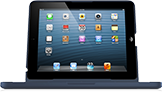

To charge your ClamCase, use the USB charging cable included in the box. Insert the small end of the USB cable into the charging port on the right side of your ClamCase, then plug the larger end of the USB cable into a USB port on any computer. You can also use your iPad wall adaptor to charge your ClamCase.
Charging your ClamCase does not charge your iPad.
To charge your iPad while it’s in your ClamCase, plug in and charge your iPad just as you would if were not in the ClamCase. ClamCase is designed to allow easy access of the 30-pin and lightning connectors respectively.
To check your ClamCase’s battery life:
- Press the battery key.
- The LED will flash to indicate battery life.
To check your ClamCase’s battery life:
- Press the fn + battery keys simultaneously.
- The LED will flash to indicate battery life.
To check your ClamCase’s battery life:
- Press the battery key.
- The LED will flash to indicate battery life.
To check your ClamCase’s battery life:
- Press the fn + battery keys simultaneously.
- The LED will flash to indicate battery life.
To access the function keys (shown here in gray) press and hold the 'fn' button, then press the key with the desired function.
Insert your iPad into your ClamCase and make sure both devices are turned on. Your ClamCase Pro automatically enters pairing mode when first powered on.
On your ClamCase keyboard press and hold the Bluetooth key for 5 Seconds. The pairing LED will begin flashing.
Insert your iPad into your ClamCase and make sure both devices are turned on. Your ClamCase Pro automatically enters pairing mode when first powered on.
On your ClamCase keyboard press and hold the fn + Bluetooth keys for 5 Seconds. The pairing LED will begin flashing.
Insert your iPad into your ClamCase and make sure both devices are turned on.
On your ClamCase, press and hold the Bluetooth key for 5 seconds until the pairing LED starts flashing. This is the 2nd key from the bottom on the right side of the keyboard.
Insert your iPad into your ClamCase and make sure both devices are turned on.
On your ClamCase, press and hold the Bluetooth key for 5 seconds until the pairing LED starts flashing. This is the 2nd key from the bottom on the right side of the keyboard.
A dialogue with numeric pair code will appear on your iPad. Enter this code using the ClamCase keyboard, then press the enter key.


 Your request has been submitted!
 Facebook
 Twitter